
Issue Intelligence
Based on the identified category, it starts the relevant workflow or automation. This enables AI-assisted issue classification and routing, reduces manual categorization effort and helps prevent misrouting.
Sentiment Analysis evaluates expressions in incoming issues and assigns sentiment labels such as happy, unhappy or neutral. These labels can later be used in filters, reports and customer experience analyses.
Churn Analysis uses sentiment data across all issues belonging to a customer to produce a five-level customer satisfaction score. This helps identify customers who are at risk of dissatisfaction or churn earlier and trigger automated actions for them.
Issue Forecast predicts how many issues may arrive in each category in the coming period. These forecasts help teams plan resources and identify areas where volume may increase.
Issue Summary summarizes the complete history of an issue, from customer communication to actions taken by internal teams within the workflow.
Category Summary analyzes complaints and resolution processes by category. For each category, it reveals the most common problems, recurring patterns and possible root causes.
More information: Category Summary
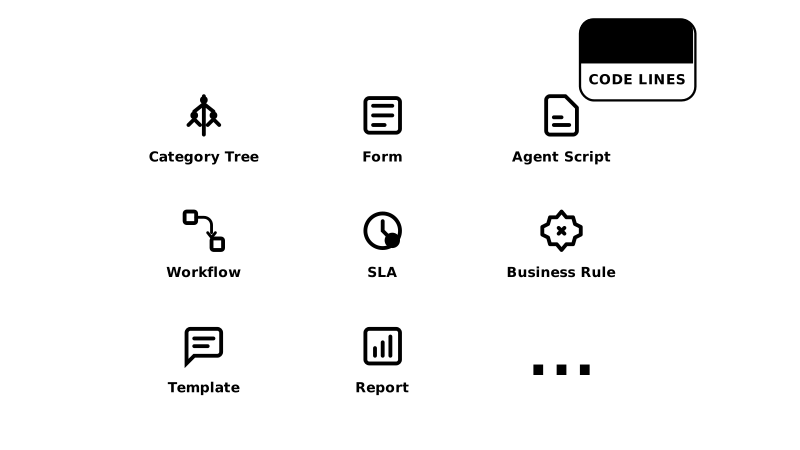
Customer service teams can design and update what they need. Apart from integrations, no code is required.
Define categories and subcategories, assign responsible groups and define workflows and forms.
Design category-specific flows with no-code editors; define SLA targets and escalations.
Design category-specific interfaces, data fields and form rules.
Define if/then rules for routing, approval, notifications and triggers.
Design category-specific scenarios so agents proceed through structured and consistent flows.
Guide customers with rule-based menus and create scenarios that route them to the LLM Bot or a live agent when needed.
Create ready-to-use templates for email and chat so teams answer in the same language and standard.
Monitor volume, SLA compliance and team performance; identify improvement areas.
developers.next4biz.com is always there for your implementation teams.
Native connectors for live chat, WhatsApp, email, call center, social media, reviews and marketplaces. Everything flows into one conversation and context is preserved as customers switch channels.
Enterprise identity with SAML 2.0, OAuth2, OpenID Connect and LDAP/Active Directory. Optional SCIM supports user and group synchronization.
Two-way synchronization through REST APIs and webhooks. Agents see up-to-date customer, order and product context; bots use the same data.
Embed self-service, chat and ticket views into your portal with iFrame or JS. It enables fast rollout without disrupting your existing digital experience.
Built-in dashboards with Turboard, plus ready APIs for Power BI, Tableau and Qlik. Feed your enterprise reporting layer from a single source.
SDKs and UI components for the same self-service and chat experience on web and mobile. Standardize in-app support flows.
Design, adaptation, integration, testing and go-live. We and our partners support you throughout the journey.
Data center options in Turkey, Europe and the United States support your data residency needs. Regular security assessments and data protection practices support your KVKK/GDPR/CCPA compliance goals. More information: Security & Compliance.
Next4biz guides your teams through onboarding, configuration and integration steps. Roadmaps and trainings standardize fast go-live followed by iterative improvement. More information: Implementation Roadmaps and Trainings.
Clear SLAs and 7/24 technical support are provided for maintenance and incident response. A global partner network adds capacity for integration and implementation projects. More information: Maintenance & Update.
With its user-friendly and easy interface, the error rate of our staff was minimized.
Thanks to Next4biz integrations, it is enough for the customer to contact us once. Regardless of the channel, we can pull all past information about that customer and view the complete history.
It automatically tracks deadlines and made it easier for our teams to follow escalation-related work. Naturally, this improvement also increased customer satisfaction.
We can manage all issues from a single center and view our customers' full history.
Declaring independence from IT and being able to design the whole management process with our own resources has been a major advantage.
With Next4biz's configurable escalation chain, no problem is left unresolved. This reduces possible errors to zero.
We gained speed and agility. As we reduced people's workload in digitalization, different focus areas emerged. Savings were achieved.
Tracking the escalation processes of customer requests created discipline and awareness across the company, which increased resolution rates.
The ease of preparing form designs and the fact that these forms are measurable and escalatable helped us a lot.
In a short meeting, we can review your channels, AI layer, workflows and reporting needs.
The most common questions about how autonomous flows differ from a chatbot, which systems they connect to, who manages the flows and how the decisions made can be traced afterwards.
It means a request is received, filtered, classified, resolved where possible and routed to the right workflow when it cannot be — without human intervention. AI bots handle chat, WhatsApp and self-service; written-channel agents monitor email, social media, reviews and marketplaces and turn them into tickets. Workflows take over the rest.
A chatbot runs the conversation and stops there. An autonomous setup covers what comes after it as well: it categorizes the ticket, pulls order and customer data from integrated systems, selects the corrective path according to policy checks, starts the SLA clock and triggers escalation when needed. The agent who takes over sees the full context.
Auto-Responder handles this. As the ticket moves through the workflow every development is written to the ticket history; Auto-Responder analyzes that history and the current status to decide when the customer should be updated, and informs them automatically on their preferred channel at those points.
Automatic resolution requires access to real data: ERP/OMS for orders and stock, CRM for the customer, SSO/LDAP for identity, channel services for communication. These connections are established bi-directionally through REST APIs and webhooks; the data then becomes usable inside both the bots and the workflows.
Yes. Guided Bot scenarios, the category tree, business rules, forms and workflows are configured with visual editors, without writing code. What the bot asks in which category, how far it goes and at which point it hands over to an agent are all determined by scenarios the business team defines. No code is written except for integrations.
Yes. Churn Analysis produces a graded satisfaction score by taking into account the sentiment data across all of a customer's tickets. Customers at risk of dissatisfaction or likely to be lost are spotted early through this score, and automated actions can be started for them. AI Analyzer →
We are not tied to a single model; proven large language models are monitored and the leading model of the period is used, and switching requires no project on your side. The rule-based Guided Bot and the LLM Bot work together: the flow handles the predictable part, and the LLM takes over when the conversation goes outside the scenario. More on our AI approach →
Yes, there are three options. By default the leading model runs as a managed service. If on-premise is preferred, a model that supports on-premise deployment is run on infrastructure you determine, under your organization's control. If data must not leave the country, it is stored and processed locally, and training is carried out on our own servers in that region without requiring hardware from you. Security and compliance →
Tickets resolved by the bot, transferred to an agent and routed into a workflow are reported separately; you can see in which categories automation holds and where it stalls. Sentiment analysis, ticket forecasting and category summaries show the areas where you can extend autonomy. Reports are followed in built-in dashboards and can also be exported to external BI tools. AI Analyzer →
Yes. Every ticket's history records who opened it, how long it waited at each step, who wrote what, and which type, category and sentiment prediction the AI made with which confidence score; whether the agent corrected that prediction is visible too. An auditor can reconstruct the entire process from a single ticket; this trail feeds quality management, compliance and agent training together. Maturity test →
Bots and agents do not work with general internet knowledge; they work with the organization's own documents, knowledge base, past resolutions and live data pulled from integrated systems through APIs. Answers rest on those sources, and they are traceable and auditable; new or changed documents can be added after training as well. We have collected these principles in a written framework. Responsible AI Framework →