
With multichannel, you’re present on many channels—but each channel becomes its own separate thread. The story gets fragmented, customers have to repeat themselves, and teams lose time. With omnichannel, every touchpoint becomes part of one ongoing conversation tied to the customer and the case—so history, files, and actions stay together even when the channel changes.
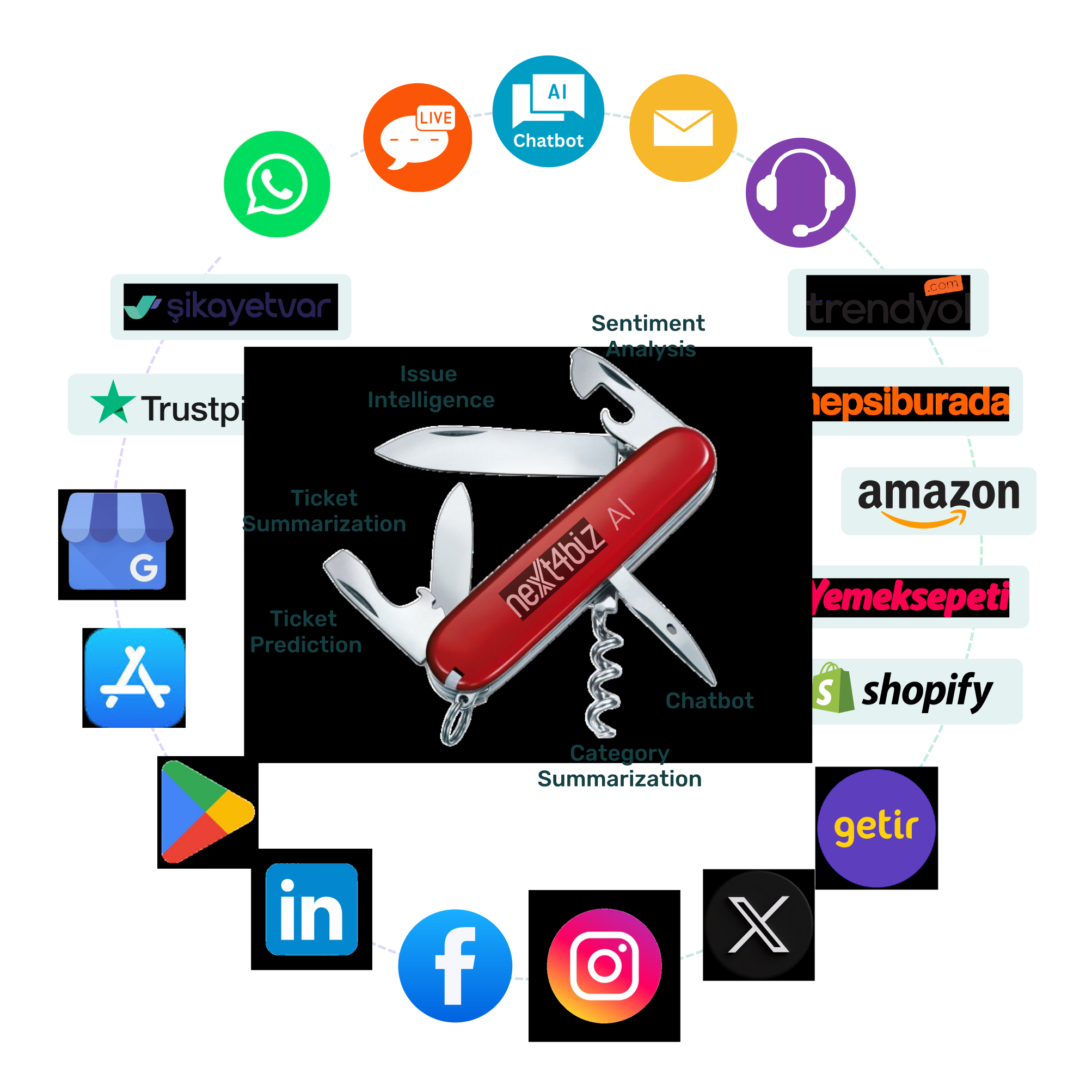
These are the structural differences that make Next4biz omnichannel more than “many channels stitched together” — with fewer repeats, faster resolution, and a more consistent customer experience.
A separate thread per channel. Context gets fragmented. Customers repeat themselves. No single, shared view.
One conversation across all channels. Shared context. Seamless handoffs. Full visibility end-to-end.
Phone call, email reply, WhatsApp message, portal update, agent note — everything lives in one case timeline. No duplicates, no lost context.
Recognizes the same person across email, phone, social handles, and customer IDs — then auto‑links every interaction to the right customer and case.
Customers can switch channels mid‑resolution while your team continues in the same case. Forms, attachments, approvals, and SLAs carry on.
No matter where the request starts, category‑specific forms and workflows capture complete data and automatically trigger the right next step.
Sentiment, summaries, similar cases, and policy guidance run as one AI layer across all channels — not separate bots per channel.
No double counting across channels. Track volume, AHT, FCR, NPS, and root causes with clean, de‑duplicated data by category and team.
Reporting that matches reality helps you make better decisions in capacity planning, quality, and process improvement.
Agents ask the right questions, capture the right data the first time, and see the full context in one place.
Fewer “please repeat your issue” moments — and a consistent experience across channels.
Every channel connects to one unified conversation. Customers can start anywhere and switch channels without losing history — context, files, and SLAs stay together.
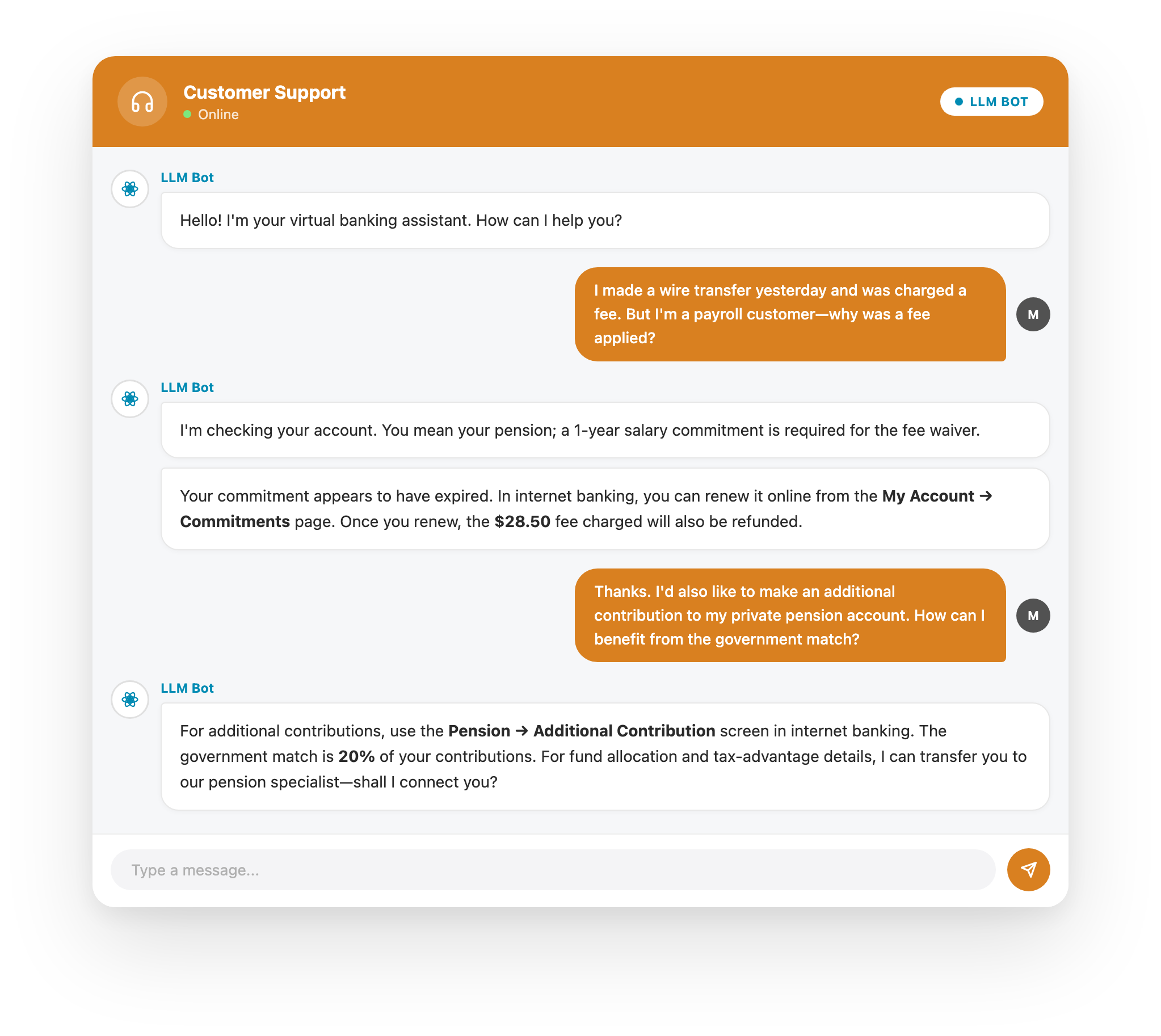
Hybrid LiveChat Bot (Guided + LLM) greets customers 24/7 and can be grounded in your knowledge base, documents, and product manuals. When applicable, it resolves requests end‑to‑end in the chat (answers, status checks, ticket creation, etc.); when an approval, missing document, or cross‑team step is needed, it hands off the same conversation with full context to an agent. Embed it on your website, in SSO‑gated web apps, or directly inside your native mobile app via our Mobile SDK.
Hybrid flow (LLM ⇄ Guided ⇄ Human): Guided for repeatable, policy‑driven tasks; LLM for open‑ended or nuanced requests; human when exceptions or approvals are required. All within one conversation—context stays intact.
Seamless handoffs: Agents receive the full transcript, customer context, transaction details, and related records, attachments, sentiment & CSAT signals, and the bot’s suggested next step—so they can continue instantly.
Integrated Mobile Experience: Don’t stop at a web‑view. Use our native SDK and visual components to make support a natural part of your mobile app.
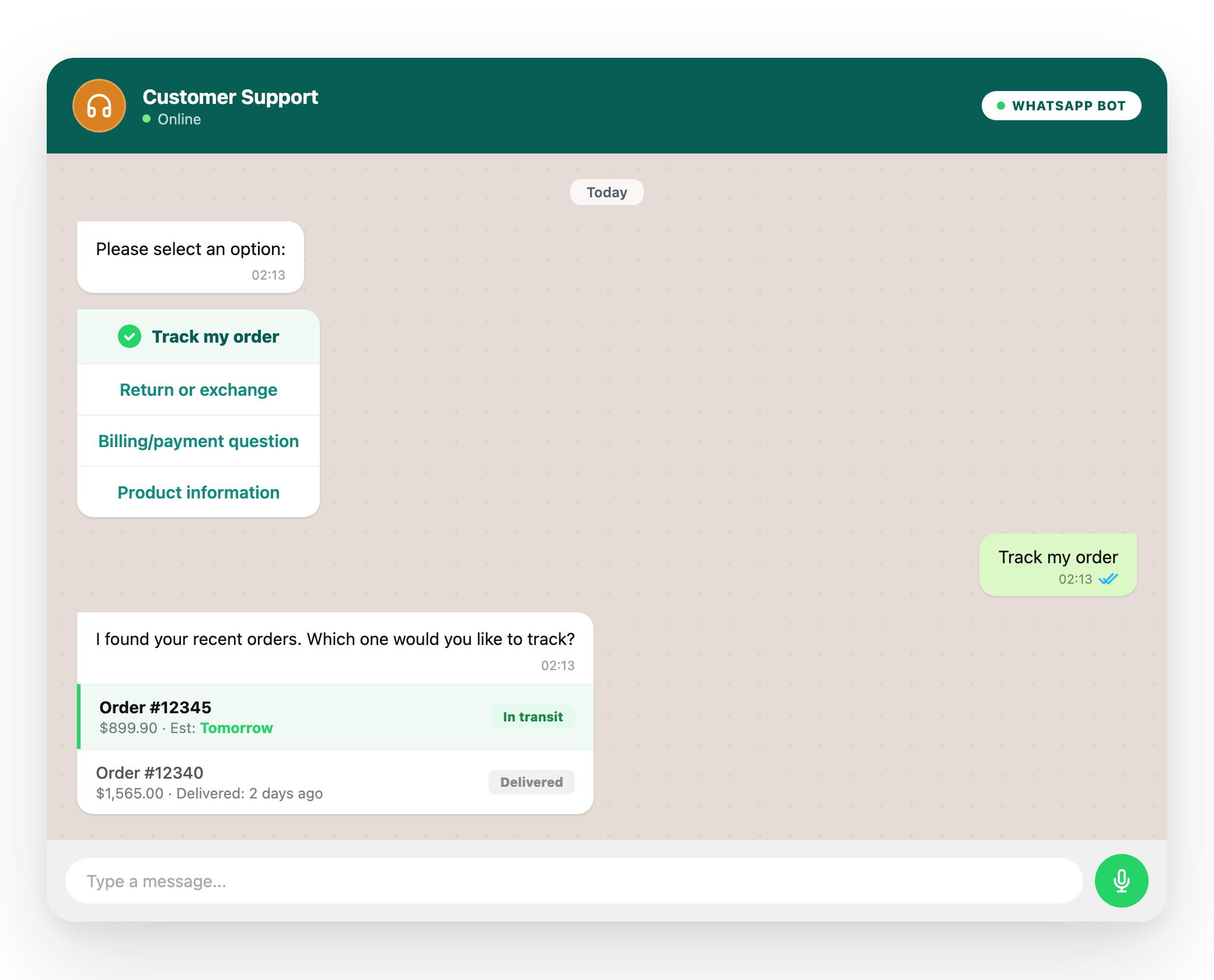
The WhatsApp AI Bot meets customers where they already are. It uses instant messaging to pull transaction history, account info, and related records from your systems and resolve requests inside WhatsApp. When a human step is needed, it hands off the same thread—without losing history.
Hybrid flow (LLM ⇄ Guided ⇄ Human): Guided for repeatable, policy‑driven tasks; LLM for nuanced, open‑text requests; human for approvals and exceptions—within the same WhatsApp conversation and with full context.
Seamless handoffs: Agents see the full conversation plus the related customer and request context and pick up right where it left off.
Natural experience: Customers don’t have to switch apps—and your team manages everything in one place. If the channel changes, the case and context continue.
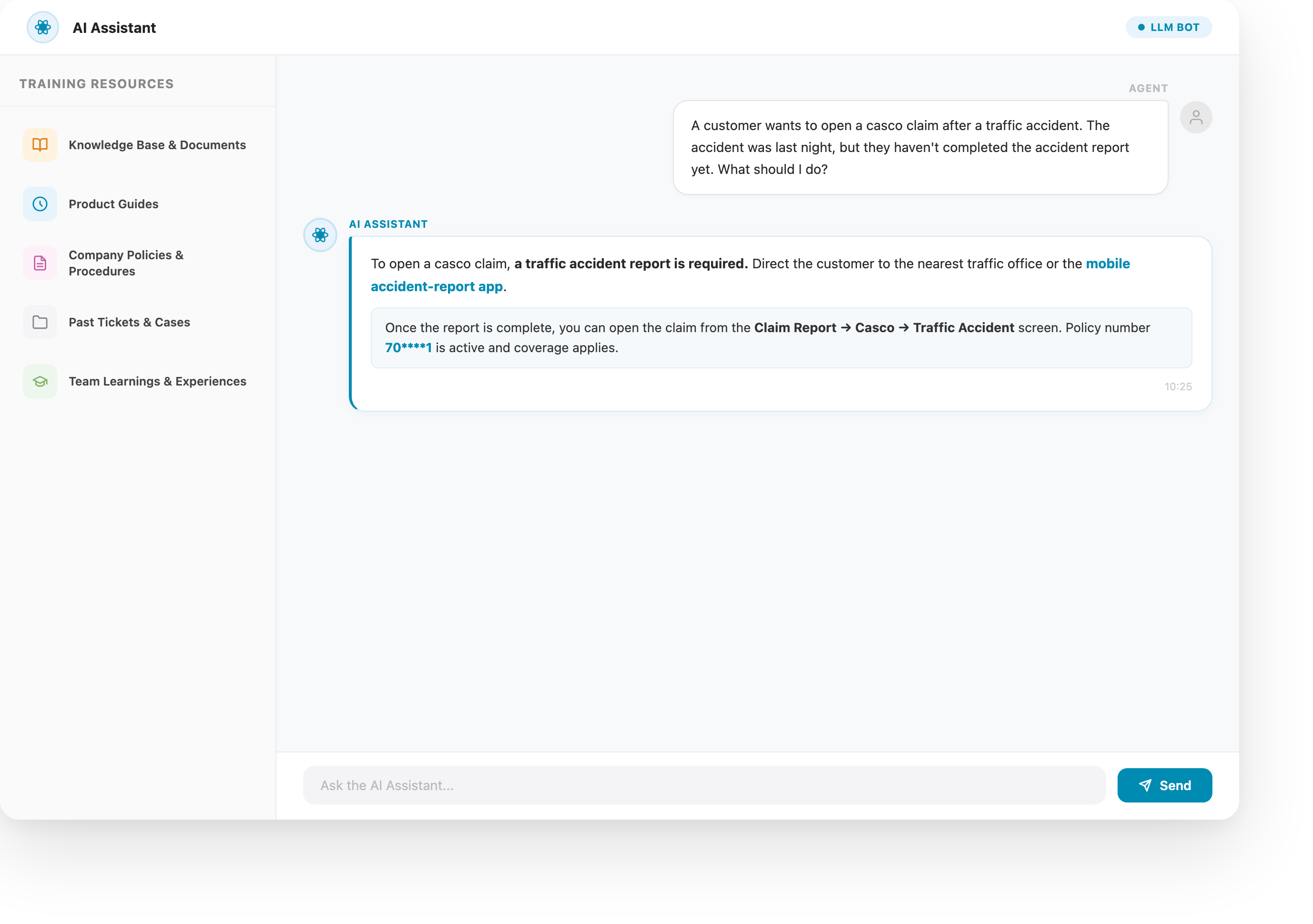
An LLM-powered agent assistant embedded in every step of customer service. It understands the conversation, case context, and your policies—then suggests next actions and response drafts for agents, supervisors, and back office teams.
Ground it in your documents, knowledge base, and historical cases so guidance stays consistent with how your business actually works.
Train it on knowledge articles, product manuals, internal docs, past tickets, and CX learnings to recognize patterns from similar cases.
It surfaces guidance instantly: likely causes, step‑by‑step procedures, policy nuances, and cautions. Suggests the right questions, links the right articles, and drafts replies or internal notes for review.
Less searching, less second‑guessing — more confident, uninterrupted service.
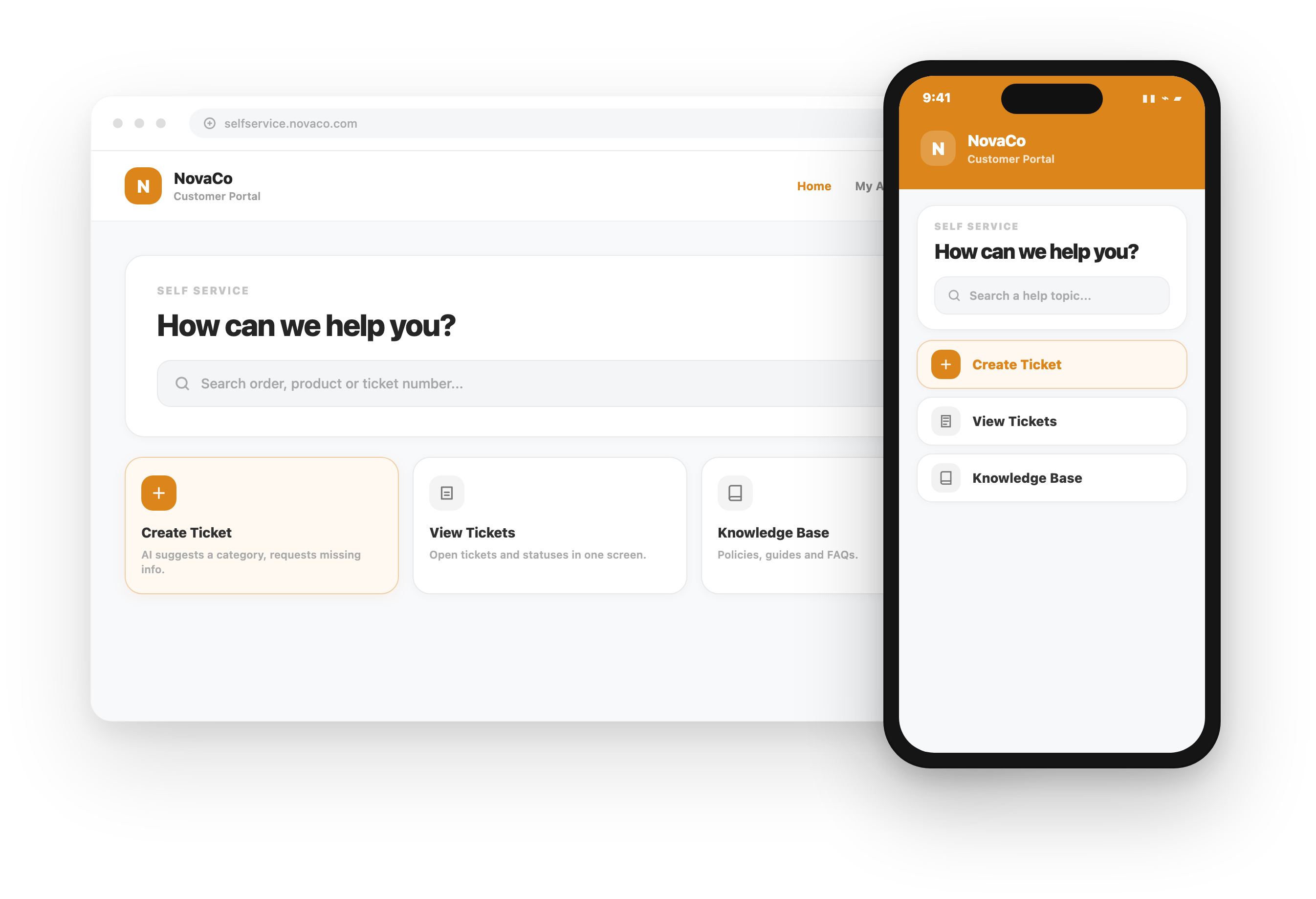
Access the self‑service portal via website or mobile app (visitor or SSO): create tickets with AI category suggestions, view AI summaries and history, start workflows, interact with the LiveChat AI Bot, and search the Knowledge Base.
Category‑specific forms ensure complete data collection the first time.
Hybrid Bot (Guided + LLM): Greets users, understands intent, and completes requests end‑to‑end inside the portal when applicable. When a human step is needed — or whenever the user prefers — it hands off the same context to an agent.
When user submits: AI determines the category and next step. If automation exists, it completes the task via the knowledge base and integrations (ERP/CRM/OMS, etc.), acknowledges the user, and closes the ticket. If automation doesn’t apply—or approvals/missing documents/cross‑team steps are needed—it presents the right category form for one‑pass data capture and then starts the workflow.
Users can search the knowledge base and track existing tickets (status, history, outcomes) within the portal.
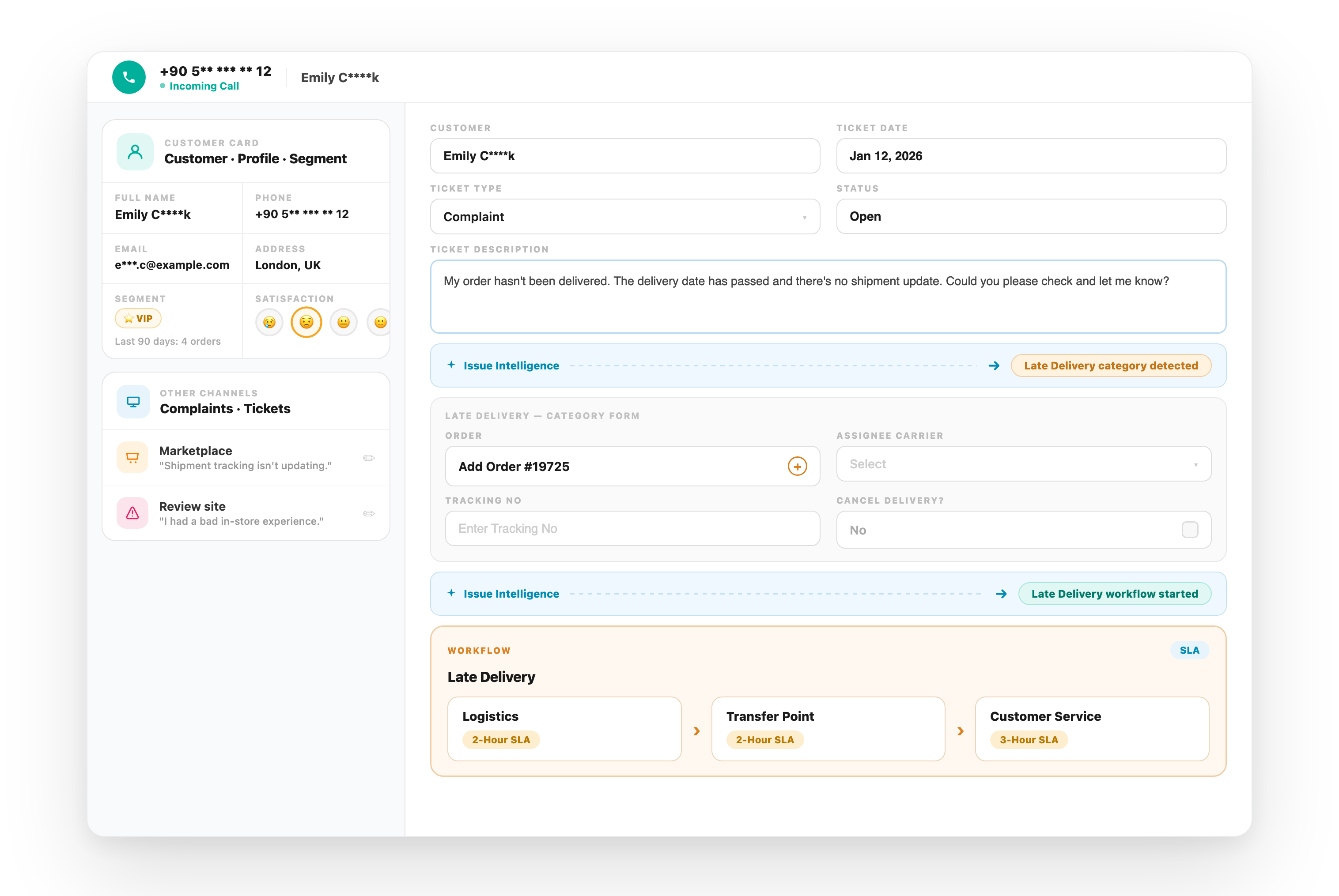
Agents get a complete customer view during the call: cross‑channel ticket history, open items, sentiment, and CSAT. The system auto‑categorizes the issue; agent scripts guide the right questions; forms capture complete data. When automation applies, AI completes the task via integrations and knowledge base—otherwise it triggers the right workflow with one click.
Before call: Recognizes the customer while the phone is ringing—shows open tickets across all channels, customer info from your systems, and an AI‑calculated CSAT score.
During call: AI‑Issue Intelligence categorizes the request. When automation applies, it prepares the response using approved templates, knowledge base, and integrations—then sends it via the preferred channel and closes the ticket. If approvals, documents, or cross‑team steps are needed, it starts the right workflow and guides the agent.
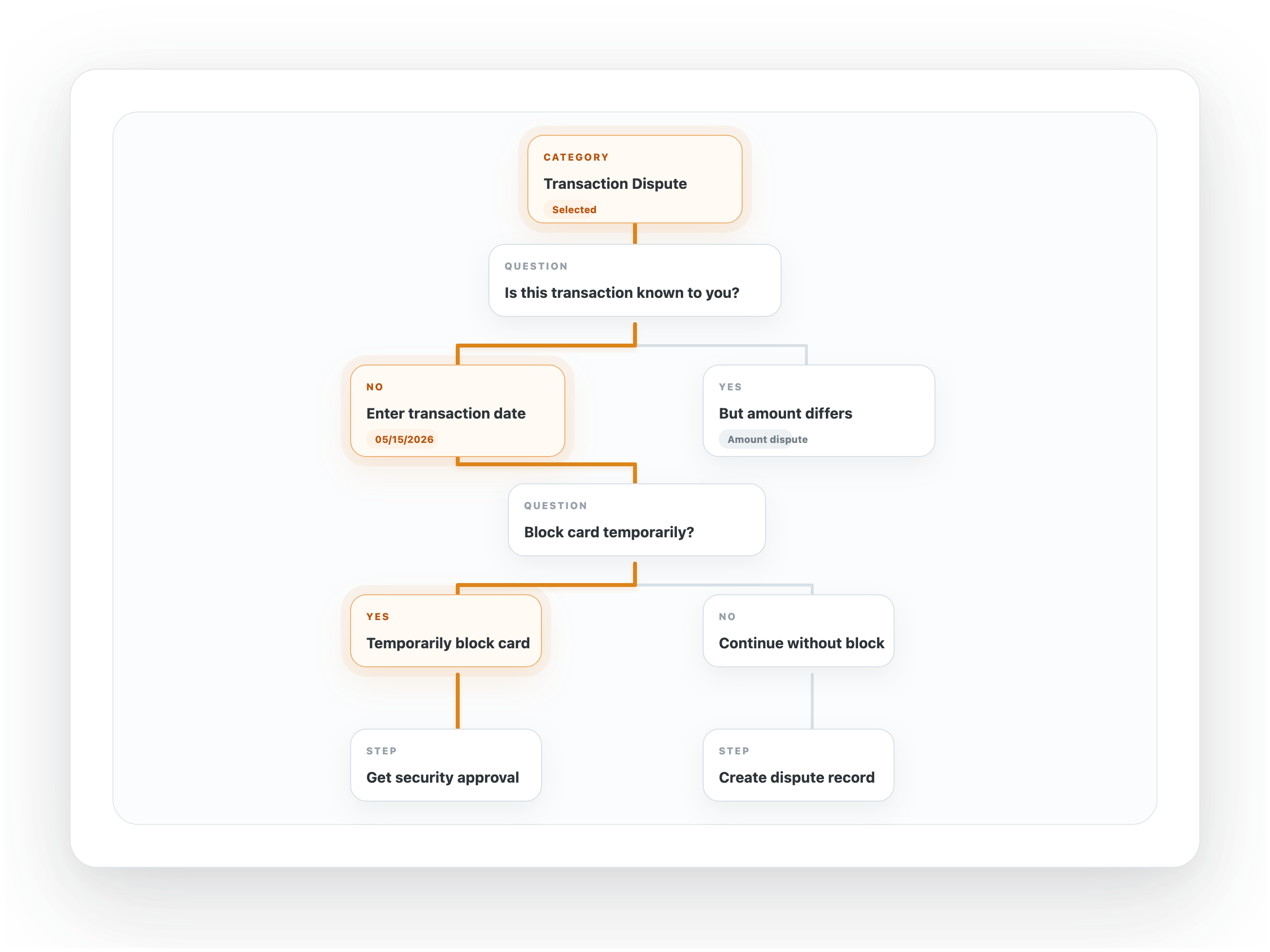
If manual handling is needed: No‑code agent scripts guide step by step—greeting, questions, and follow‑ups based on answers. Agents collect complete info and start the predefined workflow. Scripts and forms are designed per category via no‑code editors.
Agent scripts in Next4biz are built per category and guide agents step by step — what to ask, what to say, and which data to capture. That reduces callbacks and rework: required fields, validations, and attachments are collected the first time. And because scripts are managed with no‑code editors, business teams can update them without waiting on IT and tailor them per category.
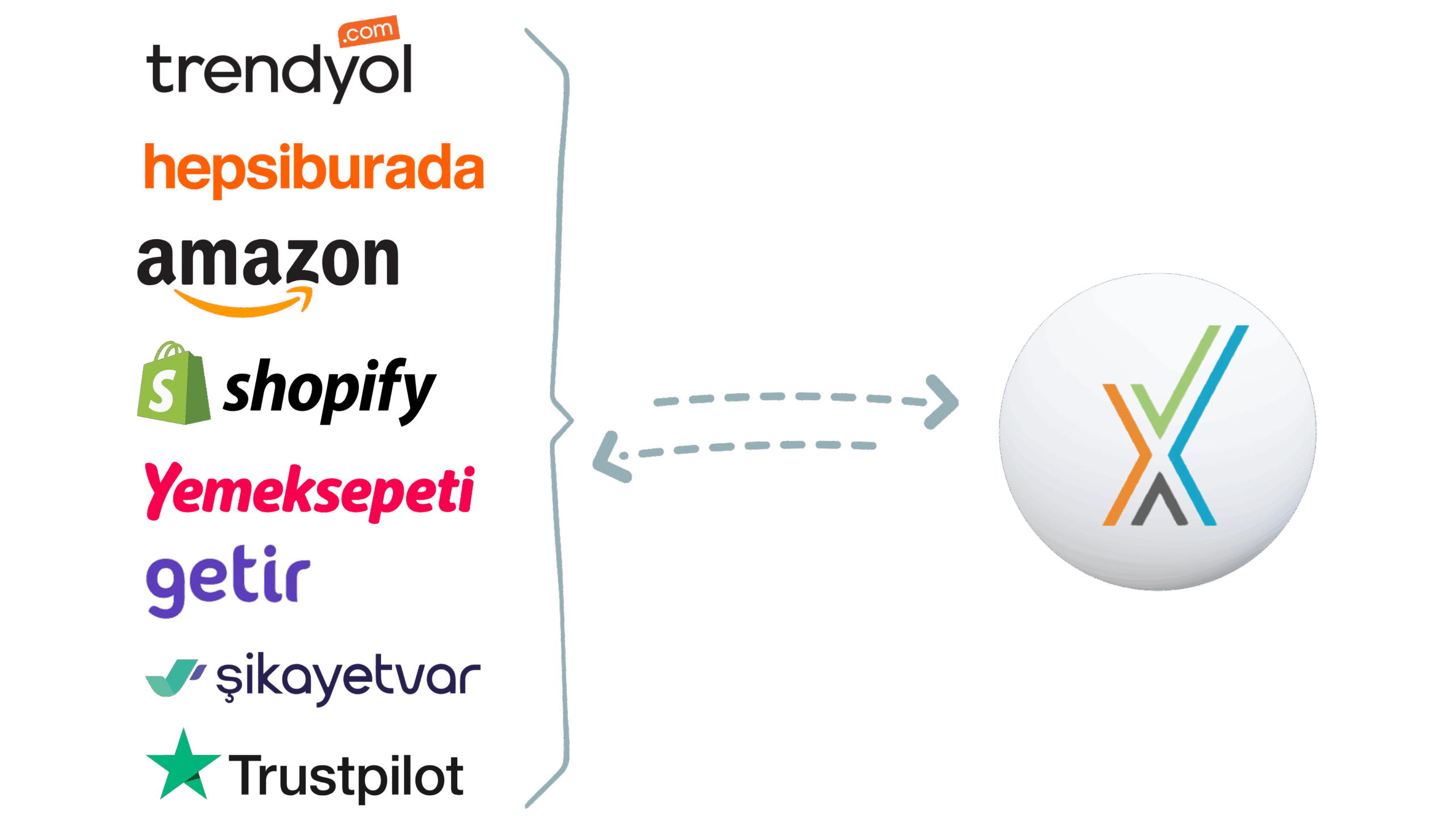
Monitors marketplace Q&A (Trendyol, Hepsiburada, Amazon, N11, etc.). Filters noise, turns relevant messages into categorized tickets, and prepares replies. When appropriate, it sends the answer back to the marketplace. For returns, exchanges, and shipment checks, it triggers the right workflow. Each ticket gets an AI sentiment tag.
Skips irrelevant items, auto‑categorizes valid ones, and runs automation: connects to core systems (ERP/CRM/OMS) or matches the knowledge base to resolve. Uses approved templates to compose brand‑compliant replies, posts back to the marketplace thread, and closes the ticket.
Monitors review platforms (Google, App/Play Stores, Trustpilot, Şikayetvar) and filters irrelevant posts. Relevant reviews become categorized tickets; it drafts owner replies in your brand tone and posts back to the platform. When needed, it triggers workflows. AI sentiment tags on each ticket.
Skips irrelevant reviews, auto‑categorizes valid posts, and runs automation: connects to core systems (ERP/CRM/OMS) or matches knowledge base to resolve. Composes brand‑compliant responses with approved templates, posts to the platform, and closes the ticket.
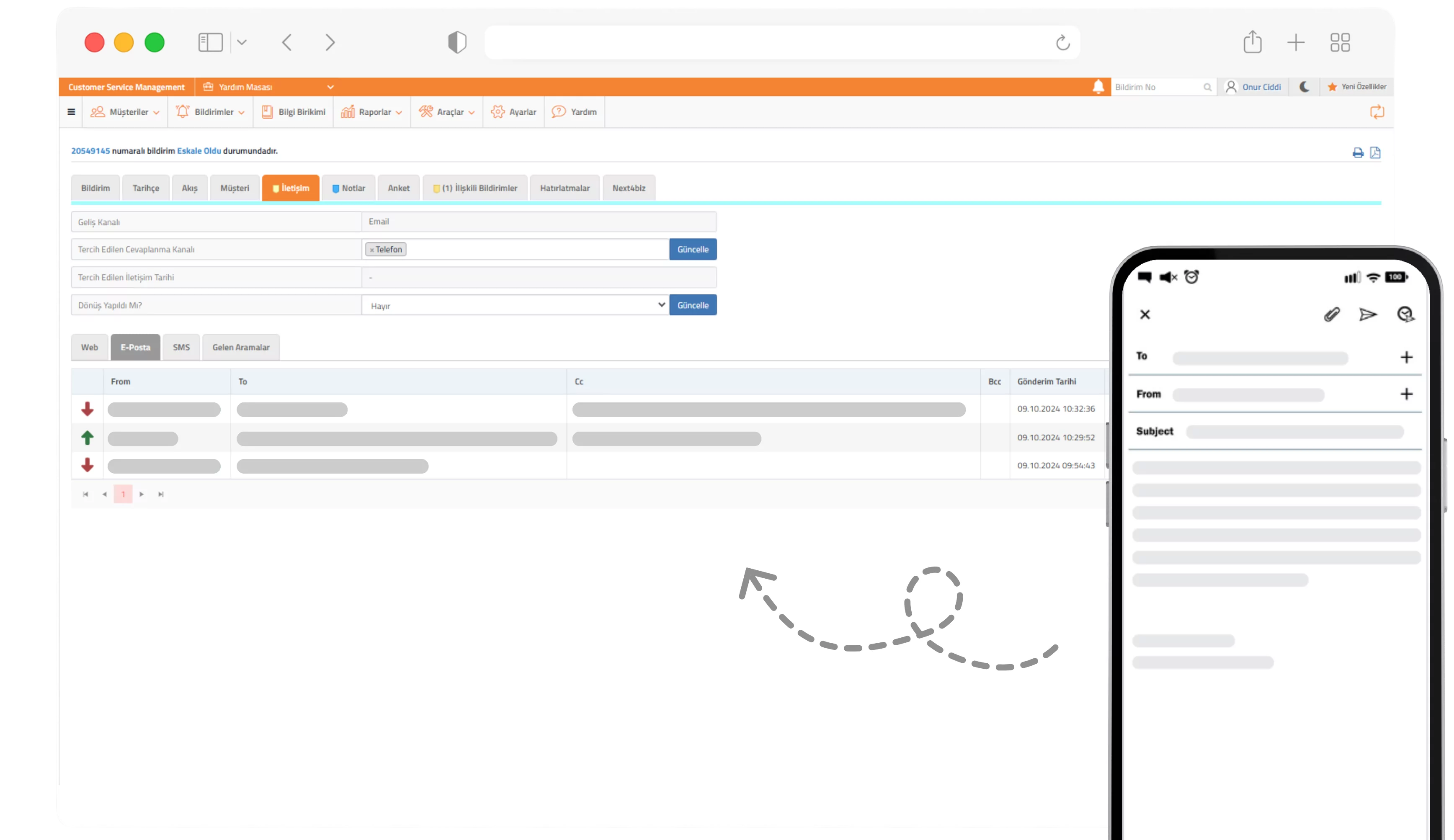
Monitors support inboxes and filters irrelevant emails. Relevant messages become categorized tickets. Requests that fit your policies can be completed quickly using approved templates and integrations; when needed, it triggers workflows and routes to the right team. With editor preview, ticket conversion, and reply tools, you stay in control. AI sentiment tags on each ticket.
Skips irrelevant emails, auto‑categorizes valid messages, and runs automation: connects to core systems (ERP/CRM/OMS) or matches knowledge base to resolve. Generates brand‑compliant responses with approved templates, sends the reply, and closes the ticket.
The most common questions about how records from different channels merge into one customer, how the process continues where it left off when the channel changes, and how an existing call center infrastructure is connected.
In multichannel every channel produces its own conversation and its own record; the customer repeats themselves and teams work from fragments of information. In omnichannel all channels merge into a single live conversation; history, files and actions stay under one customer and one ticket. Even when the customer moves from WhatsApp to the phone, the agent sees the entire journey.
Through identity resolution. The same person is identified across email addresses, phone numbers, social media accounts and customer IDs; interactions are automatically linked to the right customer and the right ticket. Repeat submissions about the same subject are deduplicated, so no double counting appears in reports.
Live chat and mobile app, WhatsApp, email, call center, social media (Facebook, Instagram, X, LinkedIn), review platforms (Google, App/Play Store, Trustpilot, Şikayetvar), marketplaces (Trendyol, Hepsiburada, Amazon, N11) and the self-service portal. On written channels AI Agents monitor the source, filter out irrelevant content and turn valid messages into tickets. Written channels →
No. The ticket, the SLA clock, the forms collected, the attachments and the approvals all continue on the same case even when the channel changes. When a customer starts in chat and moves to the phone, the agent or AI agent taking over sees the previous conversation and the research already done; the customer is not asked to explain the same thing again.
No. Sentiment analysis, summaries, similar-case detection and policy guidance work as a single AI layer across all channels — not as separate bots per channel. Category-specific forms and workflows are also applied independently of the entry channel, which is why bringing a new channel online does not mean building the setup from scratch.
The business team. Message templates for email, chat, social media, marketplace and review replies; intake and resolution forms; validations and form rules are all configured without writing code. Approved templates and a consistent tone are managed from the same editors across every channel; a change takes effect everywhere at once, regardless of channel.
It works integrated with your CTI-enabled cloud or traditional switchboard; you do not need to replace it. The Supervisor Bot recognizes the caller as the phone rings and brings open tickets from all channels, customer data from your ERP, sentiment analysis and the CSAT score to the screen. During the conversation Issue Intelligence categorizes the request and the Supervisor Bot guides the agent into the category-specific scenario. Where appropriate the answer is prepared from the knowledge base and integrations and the ticket is concluded; if not, the right workflow is started in a single step. AI in the call center →
Volume, average handling time, first contact resolution and NPS are calculated without channel-level double counting. Because a submission the same customer made across three channels does not appear as three separate tickets, you see category and team performance as it really is; root cause analysis rests on that deduplicated data.
AI Agent for Social Media
How it worksMonitors Facebook, Instagram, X, and LinkedIn end to end—comments, mentions, and DMs. Filters noise, turns relevant items into categorized tickets, and drafts brand‑safe replies (public comments / private messages). When needed, it triggers workflows. With editor preview and owner‑reply support, you stay in control. AI sentiment tags on each ticket.
How AI Agent for Social Media Automates
Skips irrelevant mentions, auto‑categorizes valid items, and runs automation: connects to core systems (ERP/CRM/OMS) or matches knowledge base to resolve. Generates brand‑compliant replies with approved templates, posts across public/private channels, and closes the ticket.